Changing the Email Address for Design Club Accounts
Dec 18th 2025

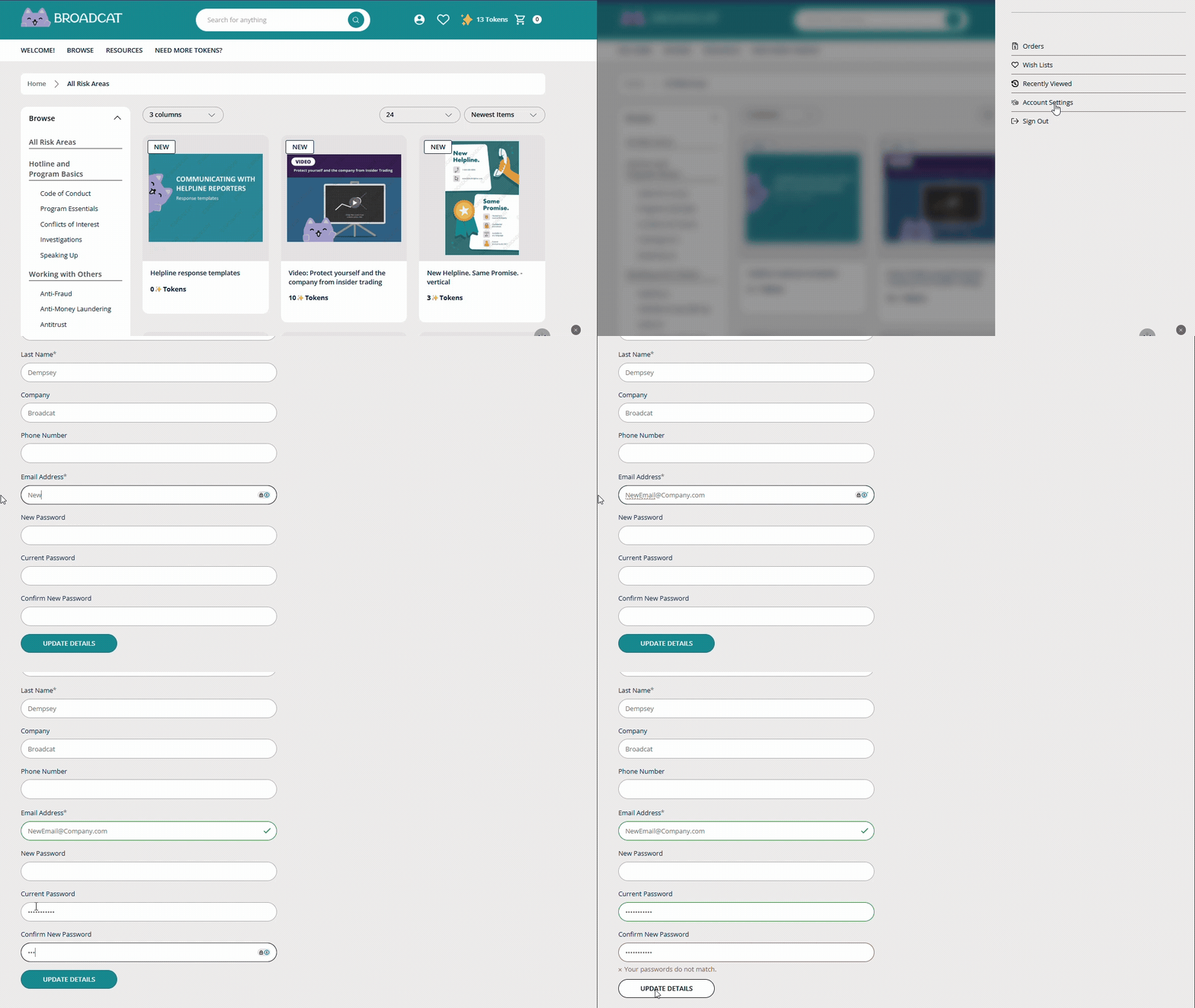
To change ownership of any of your Compliance Design Club accounts:
- Log into your account
- Click the profile/account icon
- Select Your Account Settings
- Type in the new owner's email address and the current password
- We also recommend typing in a new password to share with the new account owner. This can be changed anytime by navigating to the same Account Settings page.
- Click the "Update Details" button